
Employee timesheet software
Timesheets that fill themselves from tracked time — with approvals, edits and payroll-ready exports.
See timesheet softwareCalculate employee worked hours easily with our free online time card calculator. Enter the worked hours, breaks, and export the time card.
A time card is a tool to track and record an employee's work hours. Traditionally, time cards were physical documents or punch cards, but today they are often digital, thanks to tools like WebWork’s employee time card calculator. These records are essential for payroll processing to ensure accurate payment for the time worked.
A clock in / clock out calculator turns punch times into paid hours: for each day it takes the clock-out time minus the clock-in time, subtracts unpaid breaks, and adds the days up. Example: clocked in 8:30 AM, out 5:15 PM, 45-minute lunch → 8 h 45 min − 0 h 45 min = 8.00 hours. Do that for five days and the weekly total appears at the bottom of the card.
Overnight shifts work the same way — clock in 10:00 PM, clock out 6:00 AM counts as 8 hours, not −16. Enter times in 24-hour format (5:15 PM = 17:15); totals are shown in hours:minutes and can be read as decimal hours for payroll (8 h 30 min = 8.5). Rounding rules (nearest 5, 6 or 15 minutes) are a payroll policy — apply them consistently, never only in the employer's favor.
The calculator does the arithmetic; it does not know when someone actually started. If punch times are guessed at the end of the week, the totals inherit the guess — which is why teams switch to an automatic time clock that records clock-in, clock-out and breaks as they happen and produces the same time card without typing.
A completed weekly time card for one employee — clock-in and clock-out times, unpaid breaks taken out, daily totals added into the week. Fill the same values into the calculator above to reproduce it.
| Day | Clock in | Clock out | Unpaid break | Daily total |
|---|---|---|---|---|
| Monday | 8:30 AM | 5:15 PM | 0:45 | 8:00 |
| Tuesday | 8:30 AM | 5:15 PM | 0:45 | 8:00 |
| Wednesday | 8:30 AM | 5:00 PM | 0:30 | 8:00 |
| Thursday | 8:00 AM | 4:30 PM | 0:30 | 8:00 |
| Friday | 8:30 AM | 3:00 PM | 0:30 | 6:00 |
| Weekly total | 38:00 | |||
Daily total = clock-out − clock-in − unpaid break. The week adds up to 38 hours 0 minutes, which payroll reads as 38.00 decimal hours.
Follow these steps to calculate your time using WebWork’s free time clock calculator — or let employee timesheet software fill the time card in for you.
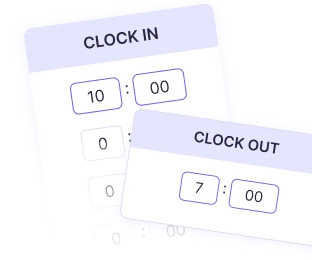
1.Enter your daily clock in and out times.
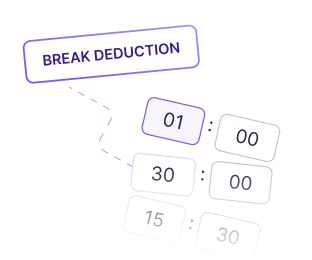
2.Enter the summation of any breaks you have taken.
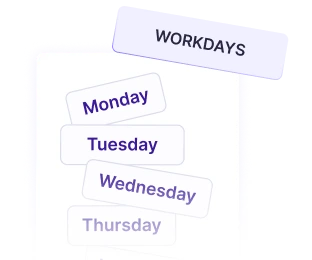
3.Specify the workdays you need to calculate.
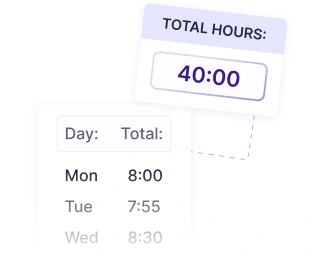
4.Get a detailed breakdown of your total hours worked.
WebWork’s employee time card calculator is more than just an online timesheet calculator. It’s a comprehensive tool designed to:
Provide precise calculations for work hours and pay.
Adapt to various time tracking needs, from individual freelancers to large teams.
Ensure accuracy with a user-friendly time clock calculator interface.
With our employee time card calculator, you can save time, prevent errors, and keep your payroll accurate.
A large number and variety of professionals use our employee time card calculator to get a quick spreadsheet of worked hours.
Small businesses use employee time card calculators to streamline payroll and manage employee hours effortlessly.
Our online timesheet calculator allows large organizations to maintain consistent, error-free time records, saving countless hours on administrative tasks.
HR professionals use our timesheet and time card calculator to automate attendance calculations, ensuring compliance with labor laws.
WebWork’s work time calculator makes it easy for remote teams to track work hours accurately and consistently.
Freelancers use a work hours calculator to log their hours effortlessly and get clear, detailed timesheets.
Adding up a time card by hand works once. WebWork captures hours automatically and turns them into clean, payroll-ready records.
Timesheets that fill themselves from tracked time — with approvals, edits and payroll-ready exports.
See timesheet softwareA digital time clock for shifts, breaks and overtime that turns punches into timesheets.
See the time clockClock-ins, late arrivals, absences and shifts recorded automatically — no sign-in sheets.
See attendance trackingTracked hours turned into payroll-ready totals, with rates, overtime and payments built in.
See payroll tracking