AppSumo User
Front-Office Receptionist
“One of the best time trackers there is.
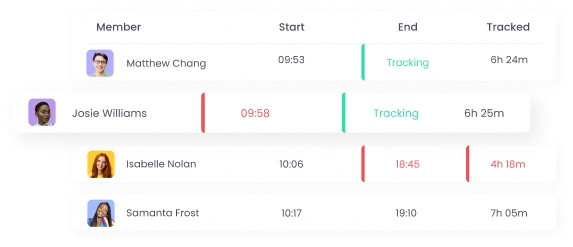
WebWork Tracker is excellent all around. payroll tracking is accurate, screenshots are helpful, activity tracker is informative, and payrolls are organized. Highly recommend it if you have anyone on your team who needs time tracking with screenshot functionality.”

Zain Ali Jamil
Front Desk Representative
“A very good time tracker application with project management and real-time activity tracking.
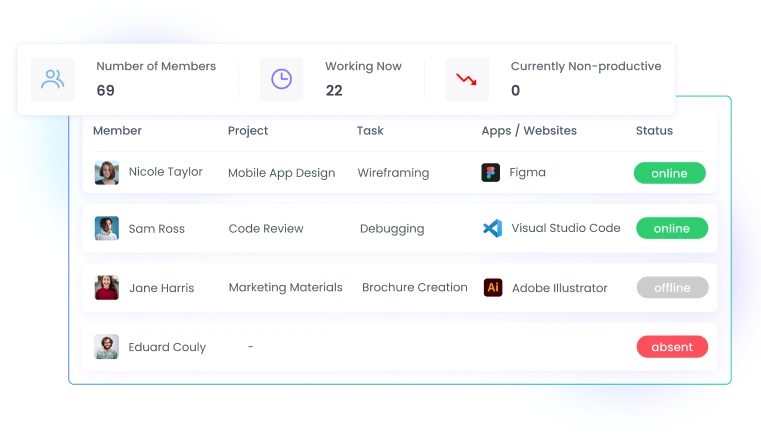
I am usually out of the office and WebWork tracker helps me a lot to track the work hours of my monitorings. I like the Real-Time feature a lot, which allows me to track who is working right now. The reason why I recommend WebWork Tracker is that it has a project management tool, and we can integrate other project management tools as well.”

Adalberto V.
Follow Up Specialist
“Awesome Time Tracking with Productivity Screenshots”
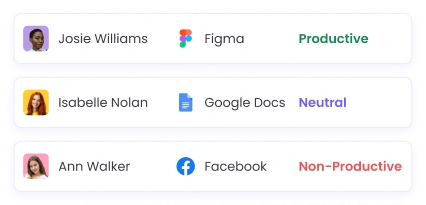
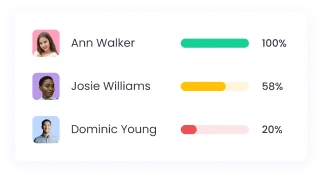
Before WebWork I spent so much time manually editing time entries and checking each employee’s productivity. Now I save a lot of time and can focus on more work-related issues, which makes me more productive overall.

Adonis M.
G2 verified review
“User-Friendly Time Tracker with Improved Productivity Monitoring”
I monitor employees, track hours, and detect productivity with WebWork Time Tracker. It’s user-friendly, simplifies the information I need, and saves time — I can easily see what everyone is working on through screenshots.

Gabby P.
G2 verified review
“Trust-Building with Real-Time Insights”
I use WebWork Time Tracker for tracking my team’s productivity and ensuring trust in their time usage. I like its real-time capture and the screenshot feature.
AppSumo User
Front-Office Receptionist
“One of the best time trackers there is.
WebWork Tracker is excellent all around. payroll tracking is accurate, screenshots are helpful, activity tracker is informative, and payrolls are organized. Highly recommend it if you have anyone on your team who needs time tracking with screenshot functionality.”
Zain Ali Jamil
Front Desk Representative
“A very good time tracker application with project management and real-time activity tracking.
I am usually out of the office and WebWork tracker helps me a lot to track the work hours of my monitorings. I like the Real-Time feature a lot, which allows me to track who is working right now. The reason why I recommend WebWork Tracker is that it has a project management tool, and we can integrate other project management tools as well.”
Adalberto V.
Follow Up Specialist
“Awesome Time Tracking with Productivity Screenshots”
Before WebWork I spent so much time manually editing time entries and checking each employee’s productivity. Now I save a lot of time and can focus on more work-related issues, which makes me more productive overall.
Adonis M.
G2 verified review
“User-Friendly Time Tracker with Improved Productivity Monitoring”
I monitor employees, track hours, and detect productivity with WebWork Time Tracker. It’s user-friendly, simplifies the information I need, and saves time — I can easily see what everyone is working on through screenshots.
Gabby P.
G2 verified review
“Trust-Building with Real-Time Insights”
I use WebWork Time Tracker for tracking my team’s productivity and ensuring trust in their time usage. I like its real-time capture and the screenshot feature.