Employee Scheduling Software
Simplify employee attendance management with our employee scheduling software. Create employee shifts with distinct properties, schedule employees, and manage time off, all while tracking work hours.
No credit card Cancel anytime

What is employee scheduling software?
Employee scheduling software lets you manage employee shifts efficiently. Create shifts for each team member and track staff availability and attendance in detail with our online employee scheduling system.
Shift scheduling also allows you to run your business around the clock. Simply create and assign day, night, and other shifts to your team members with the employee scheduling and shift management system.
Automated shift scheduling software lets you keep labor costs under control. You can take this further with WebWork through Project Budgeting, which lets you track spending by project.
How does employee shift scheduling work on WebWork?
To take advantage of the employee shift tracking software, here’s what you need to do:
Set up your workspace
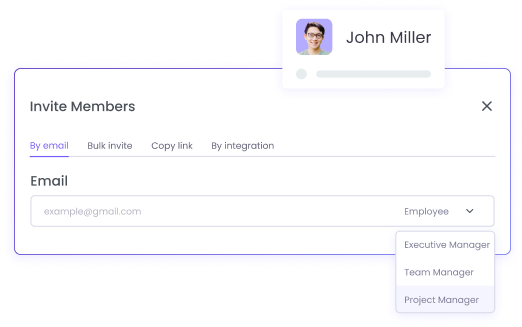
Invite people to your workspace and assign them member roles. To ease the process of managing your team, set up your preferred settings and other properties.
Create shifts and schedule employees
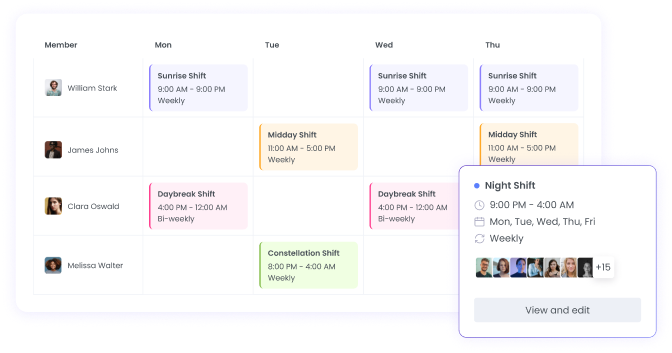
Create and assign shifts to workspace members. Each shift allows you to set distinct properties such as date, minimum hours, start and end times, working days, frequency, and more.

Manage employee shifts the easiest way
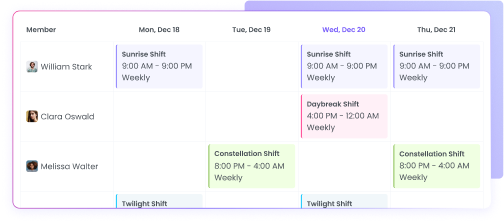
Now that you have created separate shifts,they are available to you in a user-friendly view. You can see team member availability, who’s part-time, and can thus make decisions more easily.
Use Business Time Smarter with Employee Shift Tracking
The employee shift tracking software enables you to make better, more complete use of company time. As a result, you’ll experience increased business profits and reduced labor costs.
All staff shifts and schedules in one place
Smarter use of company time
No confusion and conflicts between schedules
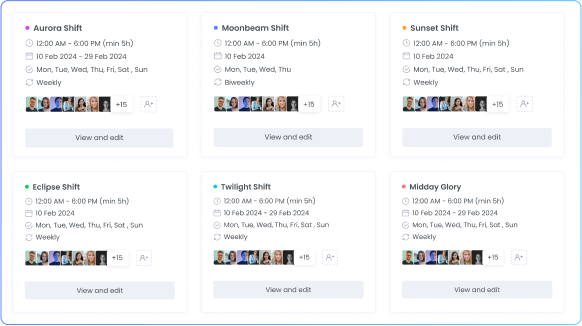
Streamlined Shift Scheduling and Employee Management
Unlock an even more organized process of managing employee attendance, time off, and earnings with our employee shift scheduling software.
Simplified Yet Detailed Attendance Management
Automate and improve the way you manage your team’s attendance. Monitor absenteeism, late arrivals, and early leaving—all in one dashboard. Have your employees use the Desktop App so you can see their reasons for starting work late or finishing early.
No need to ask employees why they are late every time as WebWork does it for you. The time tracker detects when they are late or finish early and asks them to report the reason to you.
Explore Attendance Management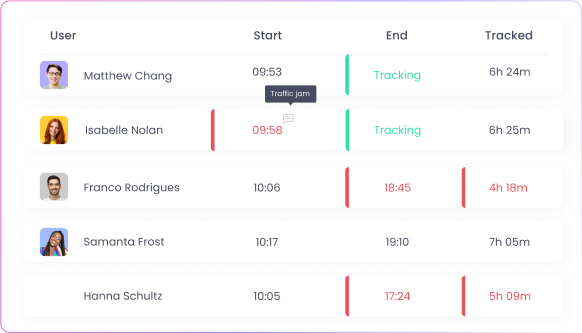
Create Leave Policies for Custom Time-Off Settings
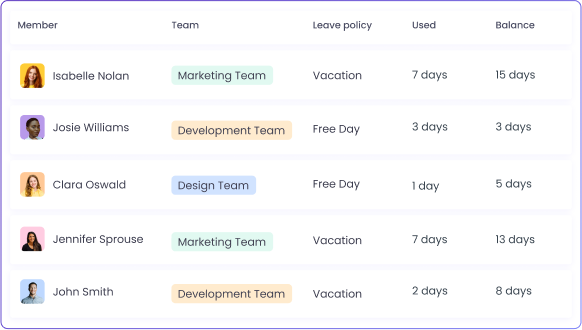
Manage employee leave and time off with Leave Policies. Along with separate shifts, employee scheduling software allows you to create separate Leave Policies for simpler time off management.
To reduce paperwork, you can add leave yourself or have your employees request it. With the right permissions, you can enable workspace members to add leave themselves without your approval.
Explore Leave ManagementClock In Shift Workers with a Shared Device
For on-site teams that share a single device, WebWork offers a time clock kiosk that works seamlessly with employee scheduling. Employees clock in and out using personal PIN codes at the start and end of their shifts.
The kiosk tracks breaks, displays real-time team status, and feeds data directly into timesheets and payroll — eliminating manual attendance tracking for shift-based teams.
Explore Time Clock Kiosk


Features That Complete Employee Shift Scheduling
Automated Time Tracking
Track employee work hours automatically and see the worked hours of each employee. Get reports with tracked hours, timelines, real-time tracking, and more.

Billable Hours
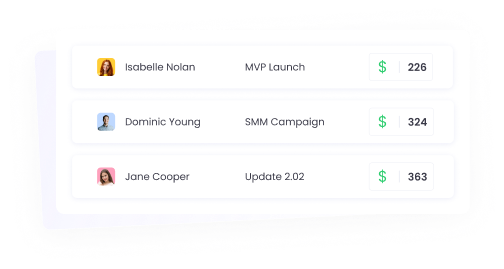
Set hourly rates for projects and employees and get a report with their earned amounts. Using the set hourly rate, WebWork will calculate how much you need to pay each employee. You can also schedule, share, and export the report.
Time Requests
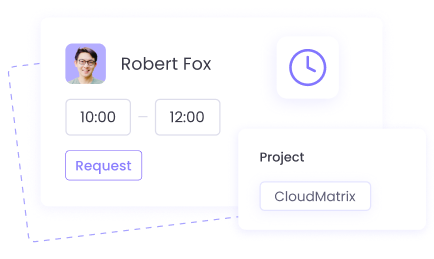
If workspace members want to add time that they didn’t track for some reason, they can always request you to add it. Or with the relevant permission workspace members can add time manually.