

by Mason Troy
G2 verified review
WebWork is a must-have for remote teams. It keeps everyone on track and ensures accountability in our work.
Solutions
Screenshots
Real-Time Monitoring
Activity Tracking
App & Web Tracking
Time Tracking
Attendance Monitoring
Shift Scheduling
Task Management
Billable Hours
Project Budgeting
Payroll Tracker
Invoices
Reports
Member Types
Employee GPS Tracking
Work-Life Balance
Device Compliance Monitoring
Integrate WebWork with Remote to hire, track, and manage global talent with ease. Import members to WebWork instantly and pay them with Remote.
No credit card Cancel anytime


Take your international team's workflows to the next level with Remote time tracking in WebWork. Set up the integration easily and enjoy time tracking and effortless global hiring in one place.
Gain insights into your international workforce. Track productivity, work patterns, and performance metrics across different time zones, helping you understand and optimize your team's effectiveness without geographical barriers.
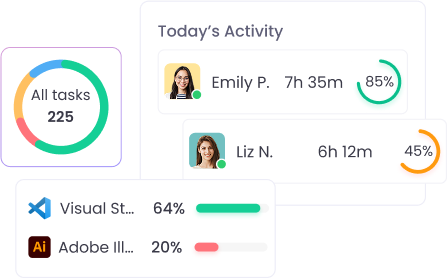
Reduce overhead costs associated with managing international teams. By automating time tracking, compliance, and employee time reporting, you can minimize administrative expenses and focus resources on strategic team development and growth.
Simplify the process of managing international team members. The integration allows for quick import of team data, automatic sync of employee information, and seamless tracking of global talent from recruitment to ongoing management.


125M+
Hours Tracked
3.2M+
Tasks Completed
342K+
Projects Succeeded
165
Countries
Go to Integrations, find Remote, and click Enable.
Click Approve in the opened Authorization window, to give WebWork access to your Remote account.
Remote members will appear on WebWork. Choose who you want to import and click Import.
Now that you have integrated WebWork with Remote, you can make payments through it as well.
Track time and make payments in one place through Remote time tracking integration. On WebWork Plus and Premium plans, you can use Remote as a payment method. Select the member, enter the amount, and choose to pay through Remote.
Go to Help Center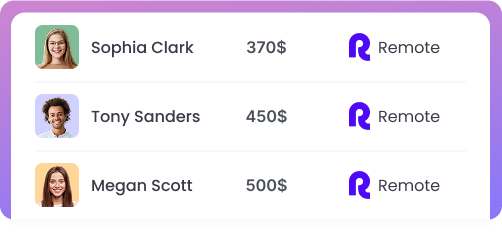

WebWork Time Tracker featured in the 2026 Capterra Shortlist for Employee Monitoring
by Mason Troy
G2 verified review
WebWork is a must-have for remote teams. It keeps everyone on track and ensures accountability in our work.

by Samuel Lambert
G2 verified review
Our team has been using WebWork for months, and it’s made a huge difference in productivity. The tracking is precise, and the analytics are invaluable.


No credit card | Cancel anytime