
Time Tracking Software
Transform workforce management with WebWork's comprehensive time tracking software that adapts to your team's needs. Choose from powerful tracking modes: automatic time tracking that removes employee control for maximum accuracy, manual time tracking that gives team members full control over their time trackers, or silent tracking that operates completely invisibly on company-owned devices. No more forgotten timers, no more inflated hours, and no more productivity gaps—just consistent, reliable time tracking data you can trust.
No credit card | Cancel anytime


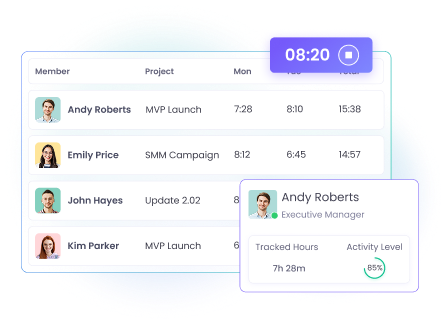
Automatic Time Tracking for Maximum Control
Take complete command of your team's time management with automatic time tracking that eliminates manual intervention. Workspace members cannot start or stop the tracker, ensuring uninterrupted time collection throughout designated work hours. This automated approach prevents forgotten timers, stops early clock-outs, and delivers consistent data for accurate payroll, client billing, and performance analysis. Automatic time tracking is perfect for remote teams, client billing, compliance requirements, and organizations needing strict time accountability.
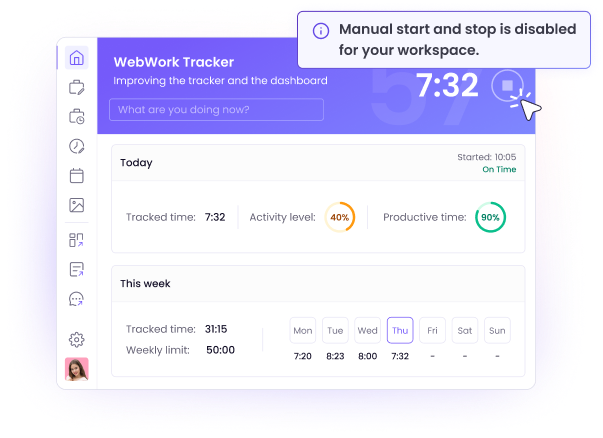
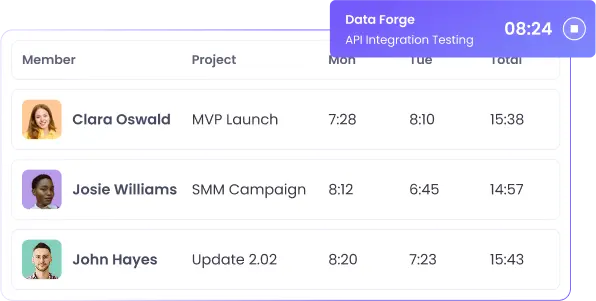
Manual Time Tracking for Team Flexibility
Empower your team with manual time tracking that puts control in their hands. Team members can start, stop, edit, and manage their own time entries using dedicated time entry software while maintaining access to comprehensive tracking features. This approach works best for collaborative environments where trust and autonomy drive productivity, giving employees the flexibility to manage their work schedules while still providing detailed insights to managers. Manual time tracking is perfect for creative teams, flexible work arrangements, project-based work, and organizations prioritizing employee autonomy.
Silent Time Tracking for Invisible Monitoring
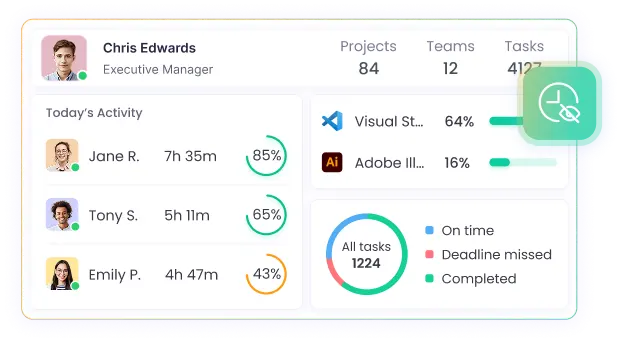
Achieve comprehensive workforce monitoring with silent time tracking that operates completely invisibly on company-owned devices. The silent tracker runs in the background without any visible interface, automatically launching at device startup and recording time, activity, and productivity data without employee interaction. This mode provides maximum oversight while maintaining uninterrupted workflows. Silent time tracking is perfect for company-owned devices, security-sensitive environments, compliance monitoring, and organizations requiring continuous oversight.
Why choose automatic time tracking software?
Complete control over time management
With WebWork's automatic time tracking software, you set the work schedule and the system handles everything else. Workspace members cannot start or stop the tracker manually, ensuring uninterrupted time collection throughout designated work hours.

Accurate client billing
Ensure accurate client billing with precise time logs captured automatically. The automated time tracker records every minute worked on client projects, eliminating disputes over billable hours and providing detailed time reports for invoicing and project analysis.
Explore Client BillingAccurate data without manual errors
Manual time tracking leads to inconsistencies, forgotten entries, and inflated hours. Our automated time tracker removes human error from the equation by capturing work time automatically based on your predefined schedule.
Compliance and audit requirements
Meet regulatory compliance standards with automated time tracking that creates tamper-proof records. The system generates audit trails showing exact work hours, break times, and productivity metrics – essential for industries requiring detailed employee monitoring documentation.

Payroll processing
Streamline payroll calculations with automatically captured work hours. The system ensures timesheets are correct and reduces administrative overhead by providing exact hours worked, overtime calculations, and attendance records directly to payroll systems.
Explore Payroll ProcessingControl the Time Tracker Manually
If you prefer to give your employees freedom to use the tracker, you can simply use the standard time tracking option of the visible tracker. It gives all workspace members control over their time tracker so they can start and stop it whenever they want, add, edit, or delete time entries whenever they want, and have complete access to the tracker.
Flexible work schedules
Manual time tracking adapts perfectly to non-traditional work arrangements. Employees working flexible hours, remote schedules, or project-based assignments can start and stop tracking as their actual work begins and ends, ensuring accurate time capture without rigid schedule constraints.
Multi-project management
Teams juggling multiple clients or projects benefit from manual control to switch between different project timers throughout the day. This enables precise time allocation to specific tasks, accurate client billing, and detailed project time tracking analysis without administrative overhead.
Trust-based work environments
Organizations built on trust and employee autonomy often prefer manual tracking to demonstrate confidence in their team. This approach empowers employees to manage their own productivity while maintaining the data visibility managers need for business decisions.
Silent Tracking Mode for Complete Invisibility
Take automatic time tracking to the next level with WebWork's Silent Tracker, a completely invisible monitoring solution designed for company-owned devices.
100% Background Operation
The Silent Tracker runs completely invisibly on company-owned devices, with no interface or indicators visible to workspace members.
Admin-controlled setup and configuration
Only administrators can install and configure the Silent Tracker, ensuring complete control over monitoring parameters. The system cannot be disabled or modified by workspace members.
Perfect for company-owned devices
Silent tracking is ideal for organizations using company-managed computers where comprehensive monitoring is required for security, compliance, or productivity analysis.
Automatic account generation
The Silent Tracker automatically generates user accounts based on device usernames, eliminating the need for manual invitations or setup processes.
Enterprise Deployment Options
Deploy Silent Tracker across your organization using Microsoft Intune, Active Directory Group Policy, SCCM, Jamf, or other MDM solutions. The system supports automated installation and configuration through enterprise deployment tools, making it perfect for large-scale implementations.
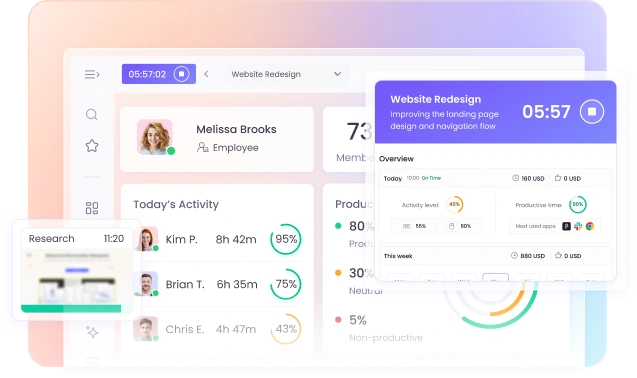
Cross-Platform Time Tracking
Desktop Tracker
Track work time on WebWork Desktop Tracker and get screenshots, app and web usage, activity and productivity monitoring, and more.
Web Tracker
Track time on the web without downloading the time tracker app—a great option for when monitoring and screenshots are not a priority.
Mobile Tracker
Enable your employees to track work time on the move with our mobile time tracking software. The mobile time tracker lets you track employee geolocation as well.
Chrome Extension Tracker
Use the WebWork Chrome Extension Tracker to track time on the web. Perfect for mere time tracking as it doesn’t track app usage, activity, or productivity.
Advanced Features of WebWork Time Tracking Software
Beyond automated time collection, WebWork's automatic time tracking software delivers comprehensive workforce management capabilities that streamline operations and boost productivity.
Real-Time Monitoring
Monitor team productivity in real-time with automatic tracking of applications, websites, and activity levels. The system categorizes activities as productive, neutral, or non-productive, providing instant insights into team performance without manual intervention.

Screenshots (Optional)
Capture periodic screenshots automatically to verify work activity and maintain accountability. The system takes screenshots at predetermined intervals, providing visual confirmation of work progress and helping identify productivity barriers.

App & Website Usage
Ensure high productivity levels with app and website usage monitoring. The automatic time tracker will monitor what platforms your workspace members use and present the data in reports. You can label the apps and websites manually as well.

Payroll & Payments
Transform your payroll process with automatic time tracking that integrates seamlessly with payment systems. WebWork automatically calculates payroll based on tracked hours, enabling direct payments through PayPal, Stripe, Bitwage, or Xero without leaving the platform.

FAQ
Automatic time tracking software is a tool that monitors and records work hours without requiring manual input from employees. WebWork's automatic time tracker removes
start/stop control from workspace members while maintaining accurate time collection based on predefined schedules and work hours.
Automatic time tracking works by running in the background on work devices and recording time based on settings.
Employees cannot start or stop the tracker manually, ensuring consistent data collection.
No, employees cannot turn off or stop automatic time tracking in WebWork. Only member types like Workspace Owner and Executive Managers have control over the tracking settings and schedule.
This ensures accurate, uninterrupted time collection and eliminates the possibility of forgotten or manipulated time entries.
Yes, automatic time tracking is legal if done in compliance with local labor laws. WebWork supports transparent monitoring practices and recommends informing employees
about tracking policies to maintain legal compliance and workplace trust.
Automatic time tracking removes employee control over starting and stopping timers, while manual tracking allows employees to control their own time tracking.
Automatic tracking ensures more accurate data collection, eliminates forgotten timers, and provides consistent monitoring across all team members.
Yes, WebWork's automatic time tracking software can capture periodic screenshots if enabled in the settings.
Screenshots provide visual verification of work activity and help maintain accountability while ensuring employees are focused on productive tasks.
Yes, managers can edit time entries, add manual time, or adjust records as needed. While the tracking process remains automatic,
you retain full control over time data accuracy and can make corrections for meetings, breaks, or activities that occur away from work devices.
If a computer crashes or shuts down unexpectedly during automatic tracking, the software will resume tracking when the device restarts (if within scheduled work hours).
WebWork saves tracking data regularly to prevent loss of recorded time due to technical issues.
Yes, automatic time tracking is ideal for remote teams as it provides consistent monitoring regardless of location.
The software works across different time zones and ensures remote employees maintain proper work schedules without requiring constant management oversight.
Automatic time tracking is significantly more accurate than manual tracking because it eliminates human error, forgotten timers, and potential time manipulation.
The software captures exact work hours based on actual device activity, providing precise data for payroll, billing, and productivity analysis.


Transform Time Tracking with WebWork Today
Start 14-Day Free Trial
Book a Demo
No credit card | Cancel anytime