
Mobile time tracking with GPS
The moment an employee starts the timer on the WebWork mobile app, GPS tracking activates. There’s no manual check-in and time and location data are captured together.

See your team’s location at any moment of working hours with automated employee GPS tracking. Track routes, see if employees have arrived at the job site, and maintain a correct log of their clock-ins and exits. Works on any mobile device with GPS tracking permission and uses geofencing to start tracking the moment employees enter job sites.
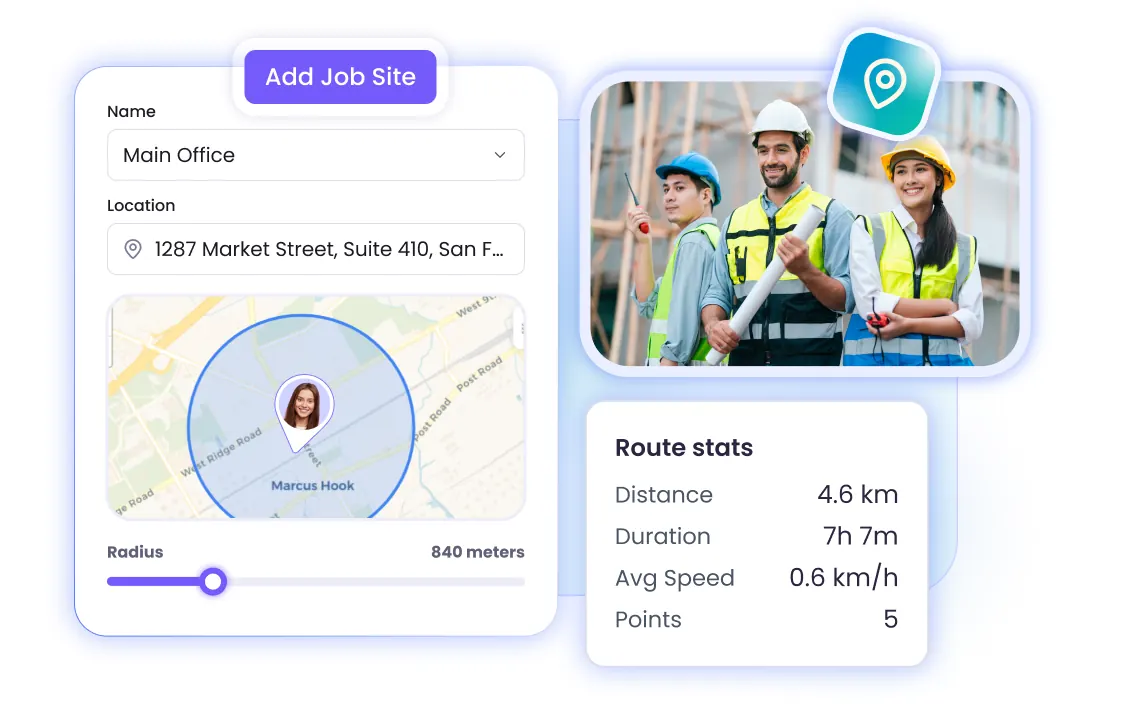
The moment an employee starts the timer on the WebWork mobile app, GPS tracking activates. There’s no manual check-in and time and location data are captured together.
Time and GPS tracking continues recording even when there is no internet connection. The data is stored on the device and syncs automatically once a connection is restored.
The map view gives you a real-time picture of the entire field team. You see who has reached their site, who is still in transit, and when each employee clocked in at their location.
Along with employee location tracking, WebWork also records the routes employees travel throughout their shift. The full path gives you an accurate picture of time spent in transit, stops made along the way.

Add job sites and set a virtual perimeter around them. When an employee enters the geofenced area, the tracker starts automatically. When they leave, it stops. This removes the need for manual clock-ins.

You get to see exactly when employees arrived at the job site and when they left.
The hours submitted from GPS clock-ins and clock-outs go into payroll reports and reflect actual tracked time.
Route history makes it straightforward to spot inefficiencies like extended stops, detours, or time gaps that don’t align with the schedule.
The map view can handle even large field operations, allowing you to track from 5 to 500 technicians.
MID Construction reduced costs by 50% after switching from Hubstaff to WebWork and implementing time tracking and GPS accountability across their field teams.
Full Case StudySign up for WebWork and create your workspace.
Add your field employees and assign them to teams or projects.
Employees download the WebWork mobile app on iOS or Android.
Employees grant GPS tracking permission in the app settings.
Set up job sites and define geofence boundaries for each location.
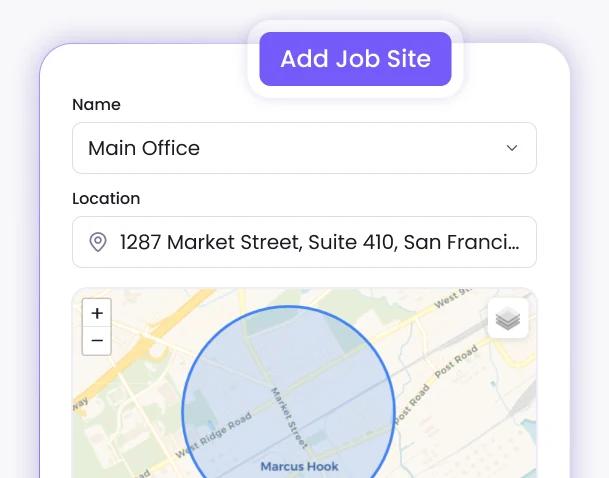
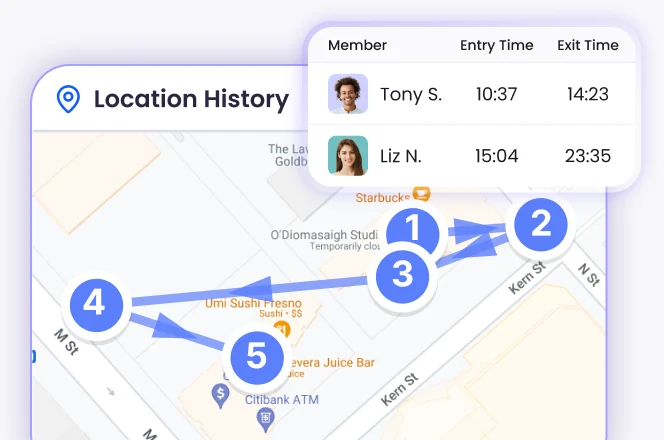
Employees start tracking and GPS activates automatically within the geofence.
Review routes, location history, and site arrival logs.
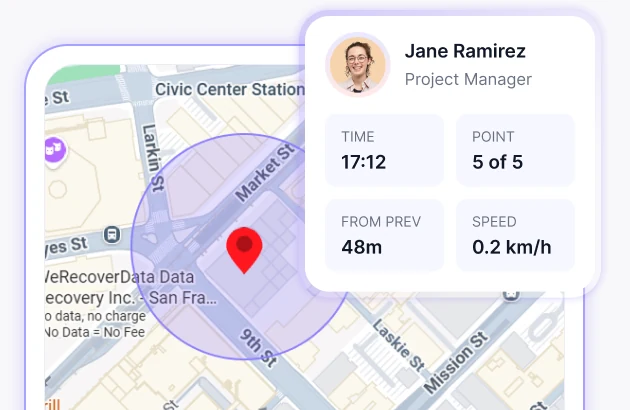
Verify crew arrivals on job sites, track hours across multiple locations, and tie labor costs to specific projects.

Confirm staff reached client locations on time, log hours per site automatically, and get verifiable proof that every scheduled visit happened.

Track field nurses, home care aides, and medical reps between appointments. GPS timestamps verify patient visit times without relying on manual paperwork.

Monitor delivery routes in real time, identify delays before they escalate, and generate location-based records that verify when and where deliveries were made.

Track agent activity across property showings and site visits, verify time on location, and keep client billing tied to actual hours worked in the field rather than estimated figures.

Oversee crews working across multiple properties in a single day. Geofencing logs arrival and departure at each site automatically, so timesheets are accurate without any manual input from the crew.

See who is active, absent, or late across all job sites in a single dashboard.
GPS-tracked hours are used for payroll calculations. Export to Wise, PayPal, Gusto, and Payoneer, or send timesheets automatically through the Deel integration.

GPS-tracked hours are automatically recorded into employee timesheets so you get an accurate, location-verified time log ready for review and approval.

Timesheets, attendance and payroll reports are all available in the Reports section. You can filter, export, and schedule them to be sent to your email.
The WebWork Mobile Time Tracker gives your field employees a full-featured app.
Screenshot monitoring, app and website tracking, and activity level tracking are available through the WebWork Desktop Tracker.

Voted Top Time Tracking Software of 2026