





Remote Worker Time Tracking Software

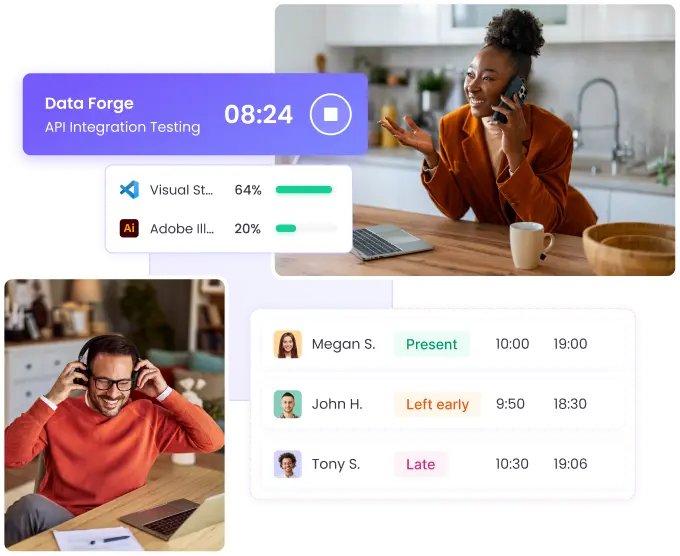
Manage distributed teams effectively with WebWork's remote time tracking system. Monitor productivity, track hours across time zones, and ensure accountability without micromanaging. Built specifically for remote-first companies.

No credit card Cancel anytime

Capterra trusted reviews
G2 Crowd reviews
GetApp verified ratings
Time tracker for remote teams
Automatización de flujos de trabajo con seguimiento de tiempo, confiado por Zapier El mejor rastreador de tiempo, confiado por Deel Solución de seguimiento de tiempo confiada por AutoFox para gestión de flotas Teem usa WebWork Time Tracker Software confiable para gestión del tiempo de empleados en Rocket Station La elección de Arbostar para una gestión empresarial confiable y seguimiento de tiempo Solución confiable para monitoreo de empleados y seguimiento de tiempo seguro en Axcera Gestión global de fuerza laboral y seguimiento de tiempo, confiado por Groworx La opción confiable para seguimiento de tiempo en Saeculum Software de time tracking para colaboración y gestión de equipos en Resolv Global
Automating workflows with time tracking, trusted by Zapier Best time tracker trusted by Deel Time tracking solution trusted by AutoFox for fleet management Time tracking software for team collaboration and management at Unity
WebWork Time tracker for remote teams

How to track remote worker time?

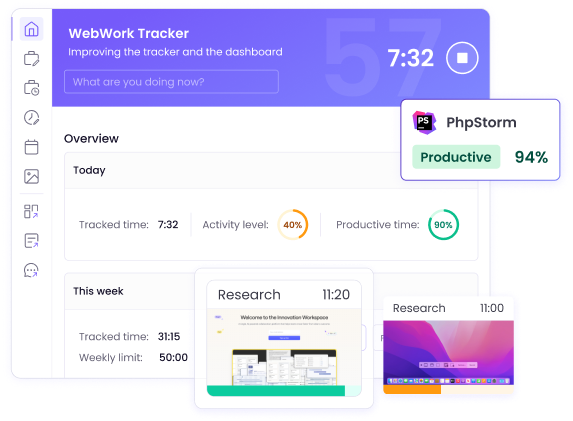
Tracking the time of your remote workers is easy with WebWork. Simply have your staff install the tracker on their devices, log in to their accounts, and turn on the tracker. That’s it. You’ll then be able to track their working hours, as well as lots of other important productivity metrics—like activity levels.

Learn How to Track Time

Remote Worker Time Tracking with AI

Get more from your management efforts with WebWork AI, the first AI time tracker on the market. Get detailed insights into your remote team’s productivity with:

Recommendations and predictions based on your team’s performance

Report analyses and summaries

Customizable, 100% AI-powered reports

Burnout predictions and actionable solution suggestions

Explore WebWork AI
employee-monitoring-software.webwork_ai_alt

Remote Worker Time Tracking Benefits

Tracking the work hours of your remote workers will provide your business with countless benefits. Monitoring their work progress, ensuring high productivity levels, and managing your business will be much simpler with WebWork. Here’s just a small selection of the benefits you’ll be able to enjoy with the best remote worker time tracking app .

Enhanced Productivity

Speed up your team’s progress and help them perform their best with the best remote work software. Ensuring your staff spend their time effectively and work on their tasks is easy with WebWork.

Enhanced productivity with remote worker time tracking software

Streamlined Management

WebWork will make managing your company a breeze with its dedicated features. These include Project Budgeting, Expense Tracking, Leave Management, Project and Task Management, and more.

Increased Work-Life Balance

Help your staff maintain their productivity in the long term by ensuring they’re not overworked. WebWork makes it easy to track how much your remote staff dedicate to their work and personal lives with its Work-Life Balance Tracking functionality.

Simplified Client Billing

Bill clients accurately with WebWork’s built-in invoicing. Using your remote team’s tracked data, you can generate invoices in just a few clicks and share them with clients.

Miles eligen WebWork para el control de tiempo

Premio G2 'Momentum Leader Winter 2026' que reconoce a WebWork como software líder en control de tiempo Premio G2 'Highest User Adoption Winter 2026' que reconoce a WebWork como software confiable de control de tiempo Premio GetApp 'Category Leaders 2025' que reconoce a WebWork como líder en control de tiempo y monitoreo de empleados Insignia Tekpon 'Top Time Tracking Software Q4 2025' otorgada a WebWork como la mejor solución de control de tiempo Insignia Capterra Shortlist 2025 otorgada a WebWork como software destacado de control de tiempo Insignia G2 'Users Most Likely To Recommend Winter 2026' otorgada a WebWork por su software de control de tiempo Insignia G2 'High Performer Winter 2026' otorgada a WebWork como software confiable de monitoreo de empleados

~54M

Horas

~2.8M

Tareas completadas

~320K

Proyectos exitosos

165

Países

Track Remote Worker Time and Much More

WebWork helps you get the most from your team with lots of remote worker time tracking features—including monitoring, reporting, and management. Each of these will benefit your remote team in unique ways, helping you speed up the growth of your business.

Track Remote Worker Activity Levels

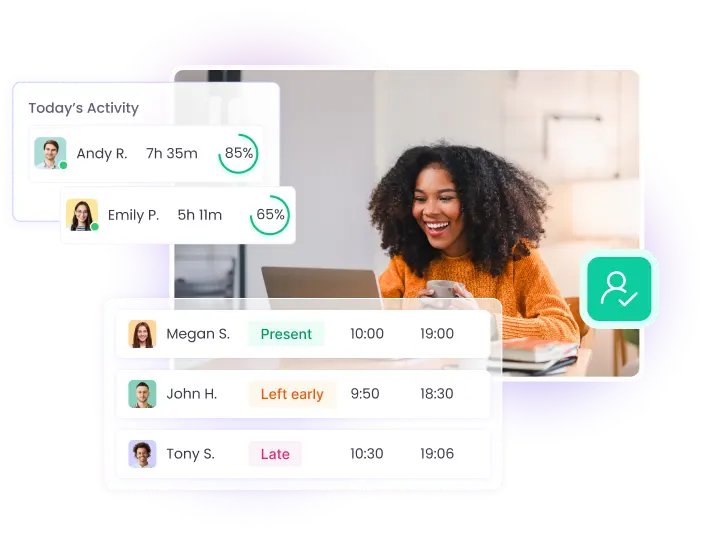
Make sure your remote staff are working when they’re supposed to with Activity Level Monitoring. WebWork will calculate your team’s activity levels using mouse, keyboard, and scroll wheel usage. Set activity ranges and get a quick glimpse into remote worker productivity at any moment.

Go to Activity Level Monitoring
Track remote worker activity levels

Track App and Website Usage

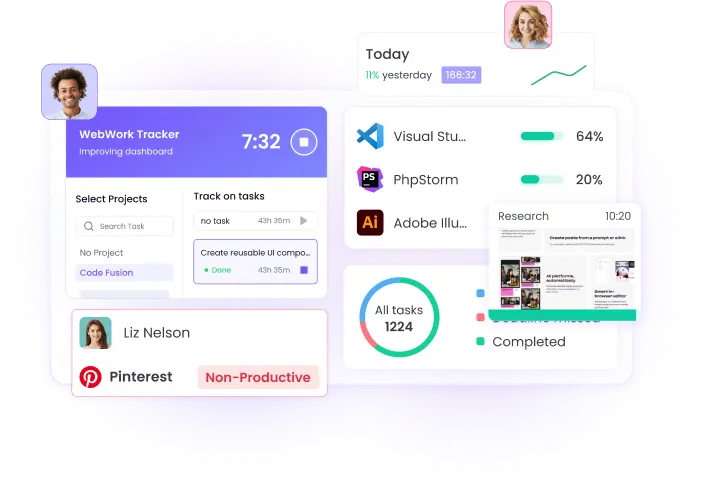
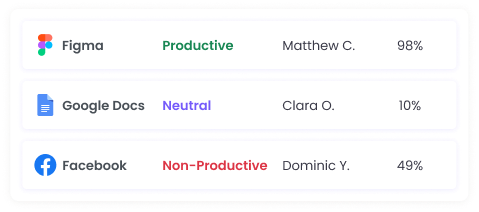
Monitor what apps and websites your remote staff use with App and Website Usage Tracking. View how much time your team spends on different platforms and ensure they don’t get distracted.

Go to App and Website Usage
Track app and website usage to monitor remote staff activity and prevent distractions

Verify Productivity with Screenshots

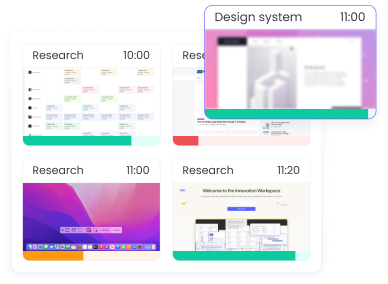
Double-check your remote workers’ productivity with periodic screenshots. WebWork can take up to 10 screenshots in a 10-minute interval. Customize this feature further with blurred screenshots and background screenshots to suit your needs.

Go to Employee Screenshot Monitoring
Verify remote worker productivity with periodic screenshots and customizable features

Get Real-Time Insights Across Your Remote Team

Get a glimpse into what your remote team members are doing right now with Real-Time Employee Monitoring. Track key data like which app they’re using, what task and project they’re working on, and what device type they’re using.

Go to Real-Time Employee Monitoring
Real-time insights into remote team activities, including app and website usage

Remote Work Software for All Devices

WebWork Time Tracker is available across different platforms and operating systems. This makes the app a perfect fit for your team—regardless of how they work.

Desktop Time tracker for remote teams

Desktop Time Tracker

Track your team’s time—as well as their app and website usage, activity levels, and much more on the desktop. WebWork supports devices running Windows, macOS, and Linux operating systems.

Go to Desktop Time Tracker

Mobile Time Tracker

Let your staff track time on the go and monitor their GPS location with the mobile time tracker app. WebWork supports Android and iOS mobile phones.

Go to Mobile Time Tracker

Web Time Tracker

Track time directly in your browser. You can also use features like Task Management, Invoicing, and much more in your WebWork Dashboard.

Go to Web Time Tracker

Chrome Extension Time Tracker

Track time directly in Google Chrome with our extension tracker.

Go to Chrome Extension Time Tracker

Book a Demo to Experience WebWork

Are you looking for a remote worker time tracker for a team of 10 or more people? Then you’re eligible for a personalized demo! Our specialists will walk you through WebWork and show you why it’s the best remote work software for your business.

Secure Time Tracking for Remote Teams

WebWork helps you track productivity, capture screenshots, and manage company expenses while keeping your team’s data fully protected.

Data security is our top priority. All information is safeguarded with enterprise-grade encryption, preventing unauthorized access at every step.

WebWork Time Tracker complies with GDPR, HIPAA, and CCPA, meeting the strictest global standards for data privacy and protection.

Learn More About Security with WebWork
Remote worker time tracking with GDPR compliance and data encryption for privacy

Time Tracking for Remote Teams Across Sectors

WebWork is the remote work software of choice for companies in a wide variety of industries. No matter how or where your staff work—WebWork Time Tracker will help your business excel.

Marketing agencies

WebWork will enable your marketing team to take their campaigns to the next level. Manage all of them with the app’s Project Management feature and keep track of key details like total worked hours. Combine this with Project Budgeting, Expense Tracking, and Payroll to stay organized.

Go to Marketing Time Tracking

Development firms

Help your developers perform their best with WebWork’s powerful Desktop Tracker. Monitor their work hours and productivity across the most popular desktop operating systems—Windows, macOS, and Linux. Integrate WebWork with popular development tools like GitHub and Bitbucket and boost your team’s productivity.

Go to Developer Time Tracking

Design agencies

Get detailed insights into the work process of your designers with WebWork’s periodic screenshots. You can set the tracker to take up to 10 captures in a 10-minute interval. This will help you get detailed information on what your designers are working on and how their work is progressing.

Go to Design Team Time Tracking

Accounting firms

Boost your accounting team’s productivity and bill your clients accurately with WebWork. Assign projects to your staff in the tracker and get accurate records of tracked time and earned amounts. You can then export this data to get paid quickly and correctly, as well as to pay your remote workers with little effort.

Go to Accountant Time Tracking
See All Industries
Remote worker time tracking for WFH teams to boost productivity

Remote Worker Time Tracking for WFH

WebWork is the perfect remote work software for your team—no matter where they work from. Use the tracker to boost productivity and streamline management, which will enable you to get the most from your work-from-home team.

Go to Work from Home Time Tracker

Our Customers Love WebWork

Mayda C. — verified G2 review of WebWork Time Tracker

Mayda C.

“I use WebWork Time Tracker for tracking work hours. It offers flex time, is hassle-free, and lets me edit time anytime — no learning curve.”

Aiza R. — verified G2 review of WebWork Time Tracker

Aiza R.

“I use WebWork Time Tracker for multitasking and accurately tracking my work hours and billing — crucial for my VA job.”

Mary G. — verified G2 review of WebWork Time Tracker

Mary G.

“WebWork Time Tracker solves unclear time usage and lack of accountability by accurately tracking time spent on tasks and projects.”

Ver todas las reseñas

FAQ

WebWork records time through its desktop, mobile, web, and browser extension apps. Employees simply start the tracker, and it automatically logs hours, activity levels, app and website usage, and—if enabled—screenshots.
Yes. WebWork uses enterprise-grade encryption to protect all tracked data. It is fully compliant with GDPR, HIPAA, and CCPA, ensuring your team’s data privacy is safeguarded.
Yes. WebWork is transparent by design. Employees can see when the tracker is running and what data is being collected, depending on company settings.
Absolutely. From marketing agencies and software firms to accounting and design teams, WebWork adapts to your workflows with features like project budgeting, invoicing, and payroll.
Yes. In addition to productivity tracking, WebWork helps teams avoid burnout with features like work-life balance tracking, flexible shift scheduling, and activity monitoring.
WebWork runs on Windows, macOS, Linux, iOS, Android, and even directly in the browser through the Web and Chrome Extension Trackers.
Yes. You can generate invoices based on tracked hours and expenses, then send them to clients in just a few clicks.
Yes. WebWork offers a 14-day free trial with full access to all features, no credit card required.
G2 Crowd reviews Capterra trusted reviews GetApp verified ratings

Get the Best Remote Worker Time Tracker Today!

Start 14-Day Free Trial

No credit card Cancel anytime

Book a Demo