
Jibble pricing starts at $0, and that shapes everything else. The Free plan has no user limit. Paid plans add the controls most managers end up needing: more locations, more schedules, leave rules and longer screenshot history.
This guide covers all Jibble plans, their per-user costs, included features, limitations and the estimated cost for a 25-person team. It also compares Jibble with WebWork, whose plans start at $3.99 per user per month.
Pricing information was checked in November 2026. Actual prices may vary by location, so confirm the rates shown in your Jibble account before purchasing.
Jibble Pricing at a Glance
Jibble has four plans. Free, Premium and Ultimate have public prices. Enterprise is quoted by sales.
| Plan | Annual billing | Month-to-month |
| Free | $0 | $0 |
| Premium | $4.49/user/month | $5.99/user/month |
| Ultimate | $7.99/user/month | $10.99/user/month |
| Enterprise | Custom | Custom |
Prices checked November 2026.
Annual billing saves about 25% on Premium and 27% on Ultimate. Every new account can test the paid features for 14 days without a credit card. After that, you pay or stay on Free. Listings such as GetApp show the same monthly rates.
Two points stand out. The Free plan is a real plan, not a short trial. And the jump from Premium to Ultimate is 78% per user, so it pays to know what sits behind it.
What Each Jibble Plan Includes
Each tier includes everything from the one below it.
Free: $0
For a small on-site team, Free covers a lot:
- Unlimited users
- Mobile, desktop, and browser time tracking
- Automatic time sheet generation
- Geo-tagged clock-in
- Facial recognition
- Project and task management
- Integrations with Slack, Microsoft Teams, and QuickBooks
The limits show up as you grow. Free allows up to 2 geofences, one kiosk device and one work schedule. It suits a single site with simple shifts.
Premium: $4.49 per User
Premium is built for teams with several departments or sites. It adds:
- Group management and unlimited admins and managers
- Unlimited geofences, with automatic clock in and out
- Unlimited work schedules and kiosk devices
- Custom breaks, overtime rules and time tracking policies
- Leave accruals and balances
It fits growing companies that run more than one location and need real leave and overtime rules.
Ultimate: $7.99 per User
Ultimate adds oversight and support:
- Individual permissions for each person
- Live location tracking
- Attendance insights report
- Priority support
- Screenshots as often as every 2 minutes, stored for up to 12 months
It fits field-heavy teams and larger organizations that want live visibility.
Enterprise: Custom
Jibble aims for Enterprise at teams of around 500 users or more. It adds an enterprise account manager, an onboarding and rollout manager, an API support manager, SSO, an SLA, an audit log, white labeling, self-hosting, dedicated infrastructure and local data residency. You need to talk to sales.
Jibble Add-Ons and Limits
Add-Ons
In the plan details we reviewed, Jibble does not list paid add-ons. Features arrive by moving up a tier. That keeps billing simple. It also means one missing feature can push your whole team into a higher plan.
Limits That Matter
The table shows where the plans differ most.
| Limit | Free | Premium | Ultimate |
| Geofences | Up to 2 | Unlimited | Unlimited |
| Kiosk devices | 1 | Unlimited | Unlimited |
| Work schedules | 1 | Unlimited | Unlimited |
| Screenshot interval | Every 10 min | Every 5 or 10 min | Every 2, 5 or 10 min |
| Screenshot storage | 3 days | 1 month | Up to 12 months |
Plan limits checked November 2026.
Screenshot retention is where the action is. With only three days of screenshot storage on the Free plan, older activity records may no longer be available when a timesheet dispute comes up.
The terms of billing are important. According to Jibble’s help center, cancellations take effect immediately, and no refunds are issued.
What Jibble Really Costs for a 25-Person Team
Per-user prices hide the real number. Here is what 25 users cost, with WebWork shown for reference.
| Plan | Per month | Per year |
| Jibble Free | $0 | $0 |
| Jibble Premium (annual billing) | $112.25 | $1,347 |
| Jibble Ultimate (annual billing) | $199.75 | $2,397 |
| Jibble Premium (monthly billing) | $149.75 | $1,797 |
| Jibble Ultimate (monthly billing) | $274.75 | $3,297 |
| WebWork Pro (annual billing) | $99.75 | $1,197 |
| WebWork Plus (annual billing) | $159.75 | $1,917 |
| WebWork Premium (annual billing) | $179.75 | $2,157 |
Prices checked November 2026. 25 users, before tax.
When paying monthly, you’ll spend an additional $450 per annum for Premium and $900 for Ultimate subscriptions for this team. An annual subscription will be a more cost-effective choice for any of these applications when you’re prepared to commit.
Here’s how Jibble and WebWork compare on pricing and features. The price of Jibble Premium exceeds the price of WebWork Pro by $150 per year for 25 employees. The price of Jibble Ultimate is $480 higher than WebWork Plus and $240 higher than WebWork Premium for 25 users. For 100 users, the difference becomes even bigger – $1,920 per year for Ultimate.
With regard to free versions, the situation is entirely different. No paid version can compete with the $0 price once you’ve selected Jibble Free.
Which Jibble Plan Fits Which Team
Free works for one site, one shift pattern and a team that only needs accurate clock-ins. Accept the 2-geofence cap and the 3-day screenshot window.
Premium works for managers with several sites or departments. You get unlimited geofences, schedules and kiosks, plus leave accruals and overtime rules.
Ultimate works when you need live location, individual permissions and a long screenshot history. If you do not need those three, Premium is usually enough.
Enterprise works for large organizations with 500 or more users that need SSO, self-hosting or local data residency.
Use the 14-day trial to see which reports your supervisors actually open. Then buy the lowest plan that covers them.
Jibble vs WebWork Pricing
If attendance is only part of what you need, look at a Jibble alternative before you commit.
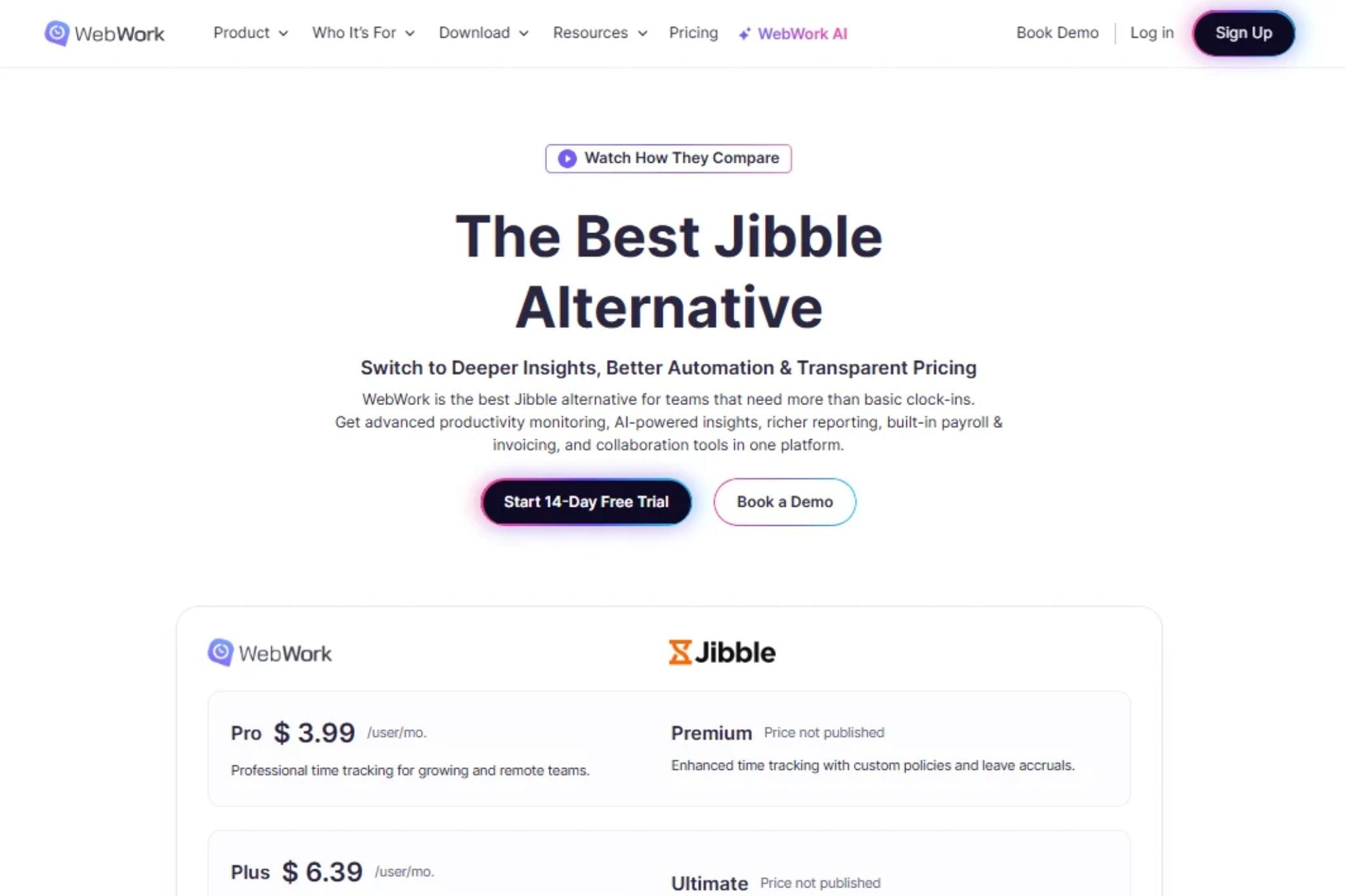
WebWork has three public plans: Pro at $3.99, Plus at $6.39 and Premium at $7.19 per user per month on annual billing. Pro on monthly billing is $4.99 (prices checked November 2026). There is no free forever plan. Every plan starts with a 14-day trial that includes all features and needs no credit card. Full details are on the WebWork pricing page.
| Jibble | WebWork | |
| Entry paid plan (annual) | $4.49 (Premium) | $3.99 (Pro) |
| Higher tiers (annual) | $7.99 (Ultimate) | $6.39 (Plus), $7.19 (Premium) |
| Free plan | Yes, unlimited users | No, 14-day trial |
| Kiosk | Free: 1 device, unlimited on paid | All plans |
| Geofencing | Free: up to 2, unlimited on paid | Plus and Premium |
| Screenshot storage | 3 days, 1 month, up to 12 months | 3 months (Pro), 1 year (Plus, Premium) |
| Payroll | Exports to payroll tools | Built in from Plus, or $1.50 add-on on Pro |
| Team chat | Not listed | All plans |
| Video meetings | Not listed | Plus and above |
| SSO | Enterprise | Premium |
Jibble does some things better. The Free plan has no user limit, face recognition is included on every plan, and the kiosk offers PIN and NFC card verification. Enterprise adds self-hosting. If buddy punching on a construction site or factory floor is your main worry, that matters.
WebWork covers more ground at a similar price. Payroll, payments and expense tracking sit in Plus or in a $1.50 add-on on Pro. App and website usage, activity levels and attendance monitoring come on every plan. Kiosk access is available on every plan, while geofencing starts with Plus. If your managers want employee monitoring software and payroll in one workspace, that is a lot for $3.99.
WebWork has limits too. Pro has no timesheet approvals, keeps screenshots for 3 months, allows one active integration and keeps 30 days of chat history. Approvals, video meetings, shift scheduling and the audit log start on Plus. SSO and HIPAA compliance start on Premium. WebWork’s plan list also has no face recognition.
For setup advice, read WebWork’s guides on privacy-conscious employee monitoring and why WebWork works for employee monitoring. If you run on-site teams, the kiosk feature page shows how shared-device clock-in works. The payroll hours tracker explains the payroll flow.
How to Avoid Overpaying for Any Attendance Tool
- List your must-haves by site. Face recognition, geofences and payroll export each live on different tiers.
- Find what sits above the entry plan. One missing feature can force an upgrade for everyone.
- Check screenshot storage. Three days and one year are very different audit windows.
- Compare billing cycles and cancellation terms. Annual billing saves 25% or more, but you commit for the year.
Frequently Asked Questions
How much does Jibble cost per user?
Jibble costs $4.49 per user per month for Premium and $7.99 for Ultimate on annual billing. Monthly billing is $5.99 and $10.99. The Free plan costs $0 and Enterprise is custom. Prices checked November 2026.
Is Jibble really free?
Yes. Jibble’s Free plan has no user limit and includes time tracking, timesheets, GPS stamps and face recognition. It caps geofences at 2, kiosks at 1 and work schedules at 1. Paid plans lift those caps and add leave rules, permissions and longer screenshot storage.
What is the difference between Jibble Premium and Ultimate?
Premium adds unlimited geofences, schedules and kiosks, group management, overtime rules and leave accruals for $4.49 per user. Ultimate adds individual permissions, live location tracking, an attendance insights report, priority support and up to 12 months of screenshot storage for $7.99. Prices checked November 2026.
What is a good Jibble alternative with payroll and productivity reports?
WebWork includes time tracking, activity monitoring, kiosk access and team chat across its plans. Geofencing is available from Plus. Payroll comes with Plus at $6.39 or as a $1.50 add-on on Pro. The 14-day trial needs no credit card.
Final Thoughts
Jibble’s pricing is fair, and the Free plan is hard to ignore. The cost shows up when you outgrow it. Geofence, schedule and screenshot limits push multi-site teams to Premium. Live location and permissions push them to Ultimate.
Decide which features you need, price the full tier and test one alternative. Then pick the plan that fits your team, not the one with the lowest sticker price.