


If you’re an agency trying to piece together your time at the end of the month by counting on your fingers and toes, hunting down your staff for timesheets, or just making your best guess about billing time, you’re in good company, and in the process, you’re leaving money on the table.
The truth is, productivity is not the issue. It’s visibility. And most agencies aren’t sure how to get the right visibility because their projects tend to go over budget before they ever realize where their time is going.
Project time tracking solves that problem.

The Real Cost of Not Tracking Time by Project
Here’s what happens when agencies wing it:
You undersell yourself on a project. You complete the project. You bill for it at what seems like “a reasonable rate.” You’ve worked 15 extra hours that you haven’t billed for, but the customer never sees it. That means that thousands of dollars have just gone down the drain.
On the other hand, you might overbill by mistake. Your customer balks, and you must defend your billing rate without any data to support it.
Either way, this won’t last—and both situations are easily preventable if you know how to track your projects’ hours properly.
What Is WebWork — And Why Agencies Use It
Before getting into the workflow, it’s worth understanding the tool this guide is built around.
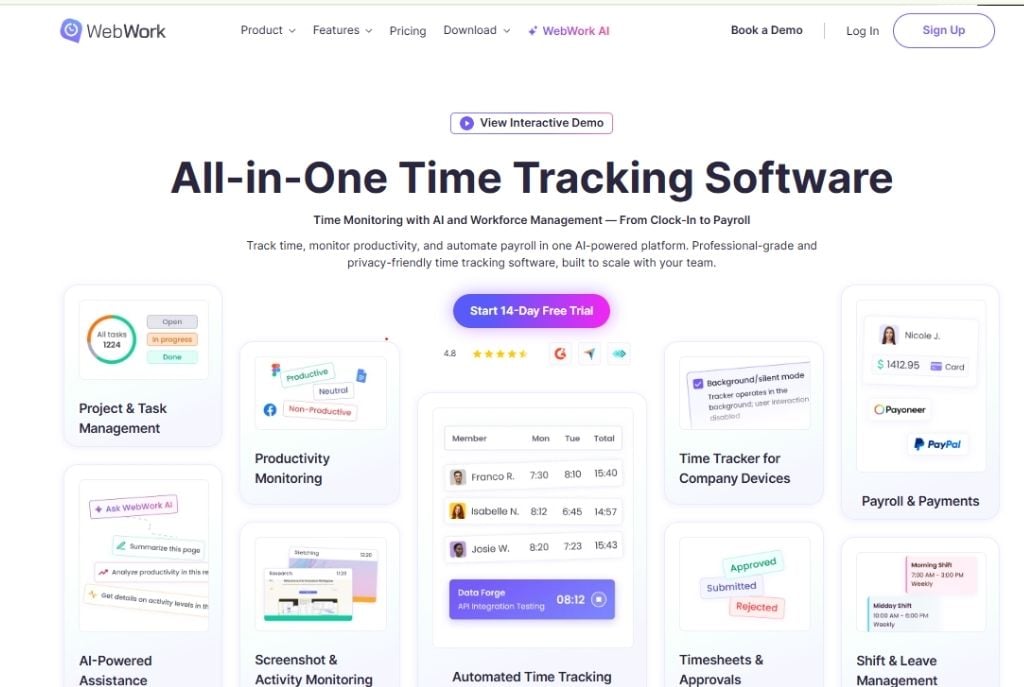
WebWork is a time tracking and workforce management platform designed for teams that work across multiple projects, clients, and locations. It’s used by agencies, remote teams, freelancers, and businesses in over 50 countries — and it’s built around one core idea: time tracking should be effortless enough that people actually do it, and detailed enough that the data is actually useful.
Step-by-Step Workflow to Track Project Hours
It’s made for project-based businesses. It’s not enough to track how many hours you work—you also need to know which projects those hours belong to.
It covers the entire billing process. From recording to generating reports to creating an invoice, it’s all done in one system. There’s no need to export data to multiple apps just to generate an invoice.
It supports remote and hybrid employees. WebWork has a desktop version and a mobile version, as well as an option to monitor screenshots. So even if your staff is working from various locations worldwide, management can be on top of things without requiring frequent updates.
It keeps your work transparent for clients by delivering high-quality, professional reports that are ready to share instantly—no extra formatting required.
For agencies specifically, WebWork’s project time tracker is one of the most complete solutions available — because it doesn’t just tell you how many hours were worked, it tells you exactly where they went, against which project, by which team member, and whether they were billable or not.
That’s the foundation on which everything else in this guide is built.
Step 1: Create Projects Before Work Begins — Not After
This sounds obvious, but most agencies set up their tracking structure mid-project when things are already messy. By then, hours have been lost, and the data is already unreliable.
Before any work starts, create a dedicated project in your time tracking tool. Name it clearly, assign the right team members, and break it down into task categories — strategy, design, copywriting, development, client calls, revisions, internal review. Whatever makes sense for your workflow.
WebWork’s project time tracker lets you do all of this in one place. Every team member sees their assigned project and tasks. When they start working, they start a timer. When they stop, they stop it. Hours automatically attach to the right project, the right task, the right client. No manual sorting, no end-of-week guessing.
The structure you set up in the first five minutes saves you hours of confusion later.
Step 2: Attach a Budget — So Numbers Mean Something
Tracked hours without a budget are just data. They don’t tell you whether you’re on track or heading for disaster.
Every project should have a time budget attached — the number of hours you scoped and sold to the client. Once that’s in, your tracking tool becomes a live health monitor. You can see at any moment: how many hours have been used, how many remain, and whether the rate of work is sustainable given what’s left.
WebWork shows this in real time, per project. If you’re 60% through a project and 85% through your budget, you know immediately. You can have an honest conversation with the client, adjust scope, or at least make an informed decision — instead of discovering the problem after it’s already too late to do anything about it.
This is how agencies stop losing money quietly.
Step 3: Real-Time Tracking — Because Memory is Not a System
Inaccurate logging is easily the top reason why any form of agency time tracking doesn’t work. When employees log time at the end of a long day and struggle to remember exactly how many minutes they’ve worked on which client’s project, you get inaccurate results. But inaccurate results lead to inaccurate invoices, inaccurate reporting, and budgets that don’t match up with the truth.
Real-time tracking solves all these issues. As employees work, the timer keeps ticking. The WebWork desktop application works silently in the background; your employees won’t need to keep track of time manually or even worry about switching tabs to use the tool. All they’ll do is work.
Remote teams and companies that have multiple offices across the globe will find that real-time tracking makes them instantly accountable. You’ll know exactly what your employees are working on and how productive they are without requiring any updates from them.
Step 4: Separate Billable From Non-Billable — Every Single Time
Not all agency hours belong on a client invoice. Internal strategy meetings, team training, business development, agency admin — that’s overhead, not billable work. Mixing it up is one of the most common billing mistakes agencies make.
WebWork lets your team mark each time entry as billable or non-billable at the moment of logging. By the time you’re ready to invoice, your billable hours are already separated and totaled. No sorting through entries at midnight before a billing deadline. No second-guessing whether that 45-minute call was client-facing or internal.
This also gives you a cleaner picture of your team’s actual utilization — the percentage of time that’s generating revenue versus being absorbed by the business. That number matters more than most agencies realize.
Step 5: Give Clients Reports, Not Just Invoices
An invoice tells a client how much they owe. A time report tells them what they got for it. The second one builds trust — and trust is what keeps clients renewing retainers and sending referrals.
When you can send a clean breakdown at the end of every month showing exactly how many hours went to strategy, how many to execution, and how many to revisions, clients stop questioning your invoices. They start seeing you as a partner who’s transparent about where their investment goes.
WebWork generates detailed project reports you can share directly with clients. Filter by team member, task type, date range, or project. Pull what you need, send it over. No manual formatting, no spreadsheet cleanup, no extra admin time.
Some agencies make this a monthly habit even when clients don’t ask for it. It’s one of the easiest ways to look more professional than your competitors without doing more work.
Step 6: Go From Tracked Hours to Invoice in Minutes
Here’s where the whole system pays for itself. Once your hours are tracked and categorized, creating an invoice should take minutes — not an afternoon.
WebWork’s time tracking and invoicing feature connects your logged hours directly to invoice generation. Set your billing rate per project or per team member. When it’s time to bill, WebWork pulls the tracked hours, applies the rate, and builds the invoice. You review, you send.
No manual calculations. No pasting of timesheets. No mistakes in the transfer of numbers between systems.
To agencies that bill five, ten, or twenty clients monthly, the result is hours of administration time saved each billing cycle.

The Agency Workflow That Actually Works
And now add it all up, and the result is what a clean, repeatable agency workflow will look like:
- Project initiation: Add it to WebWork, establish a team, and set an hourly budget.
- In progress: Team records time in real time. The manager compares hours to the budget every week.
- End of the month: Pull the customer-facing report. Assess billable vs. non-billable. Create an invoice based on tracked hours.
- Project closure: Review the full time breakdown and use this data to refine your estimates for future projects.
That’s the whole system. WebWork’s agency workflow is built exactly around this — not a generic time tracker bolted onto agency work, but one designed for how agencies actually operate.
Habits That Make the Difference Between Profits & Everything Else
Agencies that actually make money aren’t doing anything different from anyone else, really. They’re just more efficient. They know the hours each project takes them. Their bills are right because the information they have is right. They see when scope creep happens because their budget alarms let them know before the problem escalates.
And if a client ever challenges a bill, they don’t freak out; they simply produce the report for him or her to look at. This confidence comes down to one thing: knowing exactly where your hours go. Project time tracking isn’t administrative nonsense. It’s the backbone of the entire business model of any professional agency.
Implement it once and get it right, and it’ll run itself without ever interrupting anything else you need to do.









